No internet at your site? That's no excuse for poor attendance tracking. Using an offline contractor app like Yojo allows you to track attendance accurately offline and sync later. Here's how to track attendance accurately offline and sync later.
The Challenge
Most Indian construction sites have poor or no internet connectivity. But you still need accurate attendance for:
- Correct payment calculation
- Productivity tracking
- Compliance documentation
- Dispute resolution
Traditional paper has problems. Pure online apps don't work. The solution? Offline-first digital attendance using a labour attendance app that works without internet.
Method 1: Offline Mobile App (Best)
How it works:
- App stores all data locally on phone
- Mark attendance without internet
- Automatic sync when connection available
- No data loss, no duplicate entries
Steps:
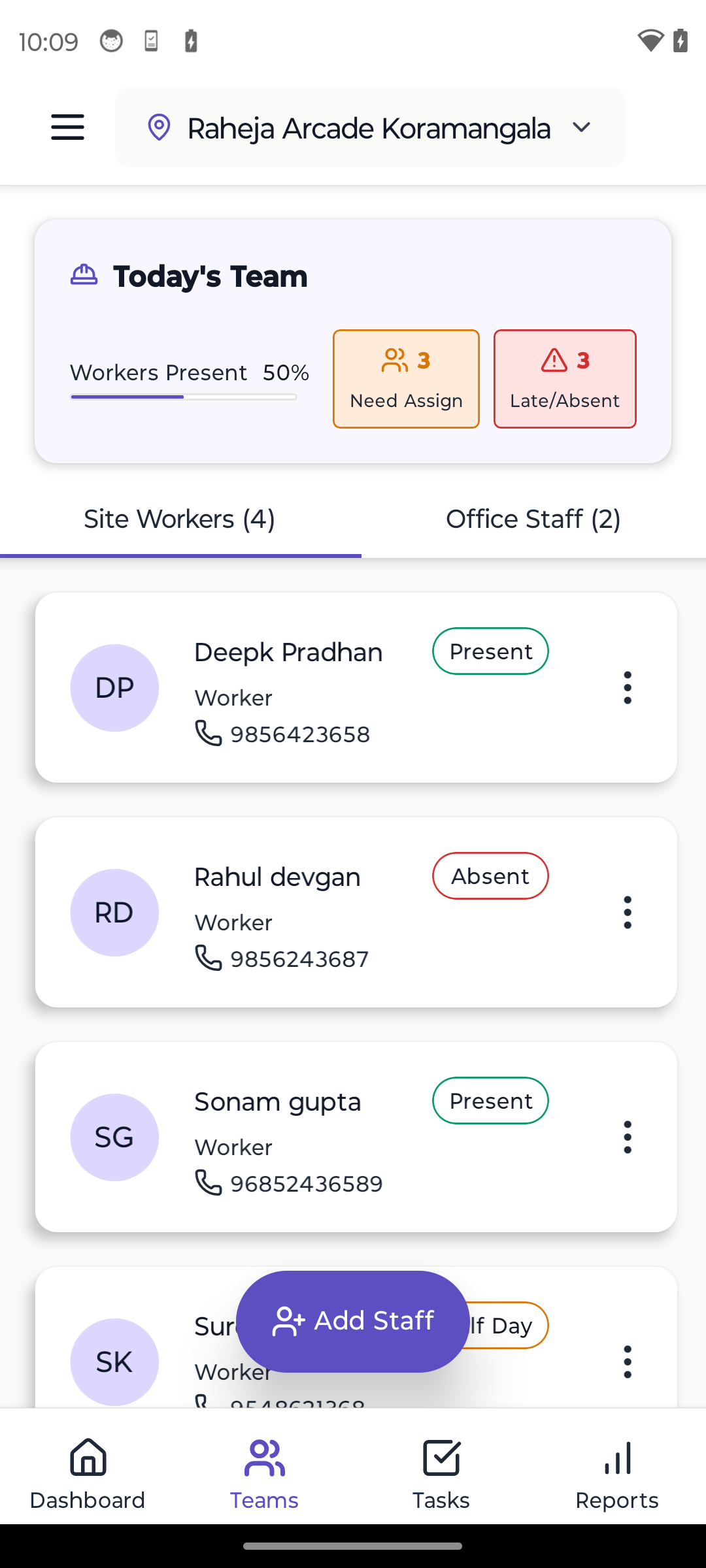
- Supervisor opens attendance app (no internet needed)
- Sees yesterday's attendance pre-loaded
- Marks today: Present/Absent/Half-day/Leave
- Takes group photo (optional but recommended)
- Saves (data stored on phone)
- Evening: Supervisor goes to area with internet
- App automatically syncs to cloud
- You see attendance from office
Advantages: ✓ Works completely offline ✓ Fast (2 minutes for 50 workers) ✓ Photo proof prevents disputes ✓ Automatic calculations ✓ Syncs when convenient ✓ Historical data accessible offline
Best apps: Look for "offline-first" construction apps like Yojo
Method 2: Photo + Manual Entry (Budget Option)
How it works:
- Take group photo of workers daily
- Note attendance on paper
- Evening: Transfer to Excel/app
- Photos as backup proof
Steps:
- 7 AM: Workers gather
- Take photo with date board
- Quick headcount
- Mark on paper register
- Evening: Data entry person transfers to digital
- Photos stored as proof
Advantages: ✓ No app needed initially ✓ Photo proof available ✓ Works anywhere ✓ Low tech requirement
Disadvantages: ✗ Double work (paper + digital) ✗ Data entry errors possible ✗ Time-consuming ✗ Photos take storage space
Method 3: Biometric with Offline Storage
How it works: Biometric device stores data locally, uploads later.
Steps:
- Workers punch fingerprint/face scan
- Device stores locally (no internet needed)
- Device connected to computer/phone later
- Data uploaded to system
Advantages: ✓ Eliminates proxy attendance ✓ Fast for workers ✓ Automated ✓ Accurate
Disadvantages: ✗ Device cost (₹15,000-50,000) ✗ Device needs charging ✗ Fingerprints can be unclear (cement/paint workers) ✗ Technical maintenance needed
Best for: Large sites with 100+ workers
Method 4: SMS-Based (Old School)
How it works: Send formatted SMS from site.
Example SMS:
ATT SITE01 DATE02JAN25 P:45 A:5 H:2
Advantages: ✓ Works on basic phones ✓ No app needed ✓ Very low data usage
Disadvantages: ✗ Error-prone (typos) ✗ Limited information ✗ Can't attach photos ✗ Difficult formatting
Status: Outdated. Offline apps are better.
Implementation: Offline App Approach
Week 1: Setup
- Download offline-capable attendance app
- Add worker list
- Train supervisor (30 minutes)
- Test on one day
Week 2: Parallel Run
- Mark attendance on app AND paper
- Verify both match
- Build confidence
Week 3: Go Digital
- Stop using paper
- App is primary
- Paper as emergency backup only
Week 4+: Optimize
- Add photos
- Use analytics
- Refine process
Best Practices
1. Daily Sync Routine
Don't go days without syncing.
Recommended schedule:
- Mark attendance morning (offline)
- Sync evening when supervisor has connectivity
- Minimum: Sync once per day
2. Multiple Device Backup
Risk mitigation:
- Two supervisors with app
- If one phone dies, other has data
- Both sync independently
3. Photo Documentation
Take daily group photos:
- Timestamp proof
- Visual record
- Prevents disputes
- Takes 30 seconds
4. Backup to Multiple Clouds
Safety:
- App syncs to its cloud
- Also backup to Google Drive weekly
- Export Excel monthly
- Never lose data
Handling Common Issues
Issue #1: Phone Battery Dies Before Sync
Solution: Data remains in phone storage. Charge phone, open app, sync happens automatically.
Prevention: Carry power bank, charge during lunch.
Issue #2: App Crashes
Solution: Data saved to storage continuously. Reopen app, data is there.
Verify: Check if entries visible before closing app.
Issue #3: Two Supervisors Mark Attendance
Solution: Assign clear responsibility. Only ONE person marks attendance.
If conflict: Latest timestamp usually wins (configurable in good apps).
Issue #4: Worker Claims They Were Present
Solution: Photo proof. Show them the photo - were they there or not?
Why photos matter: Eliminates "he said, she said" disputes.
Calculating Payments from Offline Attendance
Good offline apps calculate automatically:
- Mark attendance daily
- App tracks days worked
- End of month: Generate payment report
- Shows: Name, Days worked, Rate, Amount due
- Export to Excel or PDF
- Make payments
Time saved: Manual calculation = 3-4 hours. Automatic = 5 minutes.
Transitioning from Paper to Offline Digital
Common fear: "What if app fails? We'll have no record!"
Solution: Parallel run for 2 weeks.
Week 1-2:
- Mark on app AND paper
- Verify both match daily
- Build confidence in app
Week 3:
- App primary, paper as backup
- Only write on paper if app actually fails
Week 4:
- App only
- Paper register archived
Reality: After 2 weeks, you'll trust digital more than paper.
ROI of Offline Digital Attendance
Costs:
- App: ₹500-1000/month
- Training: 2 hours (one-time)
- Total: ~₹1000/month
Savings:
- Time: 25 min daily → 2 min daily = 23 min saved
- Monthly: 23 min × 26 days = 10 hours saved
- Value: 10 hours × ₹500/hour = ₹5,000
- Dispute resolution: ₹2,000-5,000/month saved
- Total savings: ₹7,000-10,000/month
ROI: 7-10x return on investment
Comparison Matrix
| Method | Works Offline | Cost | Time | Accuracy | Proof |
|---|---|---|---|---|---|
| Paper | ✓ | Low | High | Medium | No |
| Online App | ✗ | Medium | Low | High | Yes |
| Offline App | ✓ | Medium | Low | High | Yes |
| Biometric | ✓ | High | Low | Highest | Yes |
| SMS | ✓ | Low | Medium | Low | No |
Winner: Offline-first mobile app (best balance)
Conclusion
Don't let poor connectivity stop you from digital attendance. Offline-first apps give you the best of both worlds: digital accuracy with zero dependence on internet.
Action steps:
- Download offline-capable attendance app this week
- Test on your site for 3 days
- Run parallel with paper for 2 weeks
- Go fully digital
The future is offline-first. Choose tools that work in India's reality, not just in ideal conditions.
Learn More
Ready to Transform Your Construction Business?
Start managing your sites efficiently with Yojo today.
Try Yojo FreeConstruction Management Expert
Senior Construction Consultant at Yojo
10+ years of experience
Reviewed on 4 January 2025
About Yojo Team
Construction management expert with 10+ years of experience helping Indian contractors build better businesses. Specialized in digital transformation for construction sites.
Related Pages
Labour App
India's best labour app — attendance, wages & payroll
Labour Attendance App
Mark attendance, half-days & overtime in one tap
Daily Wage App
Automatically calculate daily wages from attendance
Best Contractor Apps India
Compare the best contractor apps in India
Construction Management App
Simple app for labour, materials & site work
Multi-Site Construction App
Track all your construction sites in one place