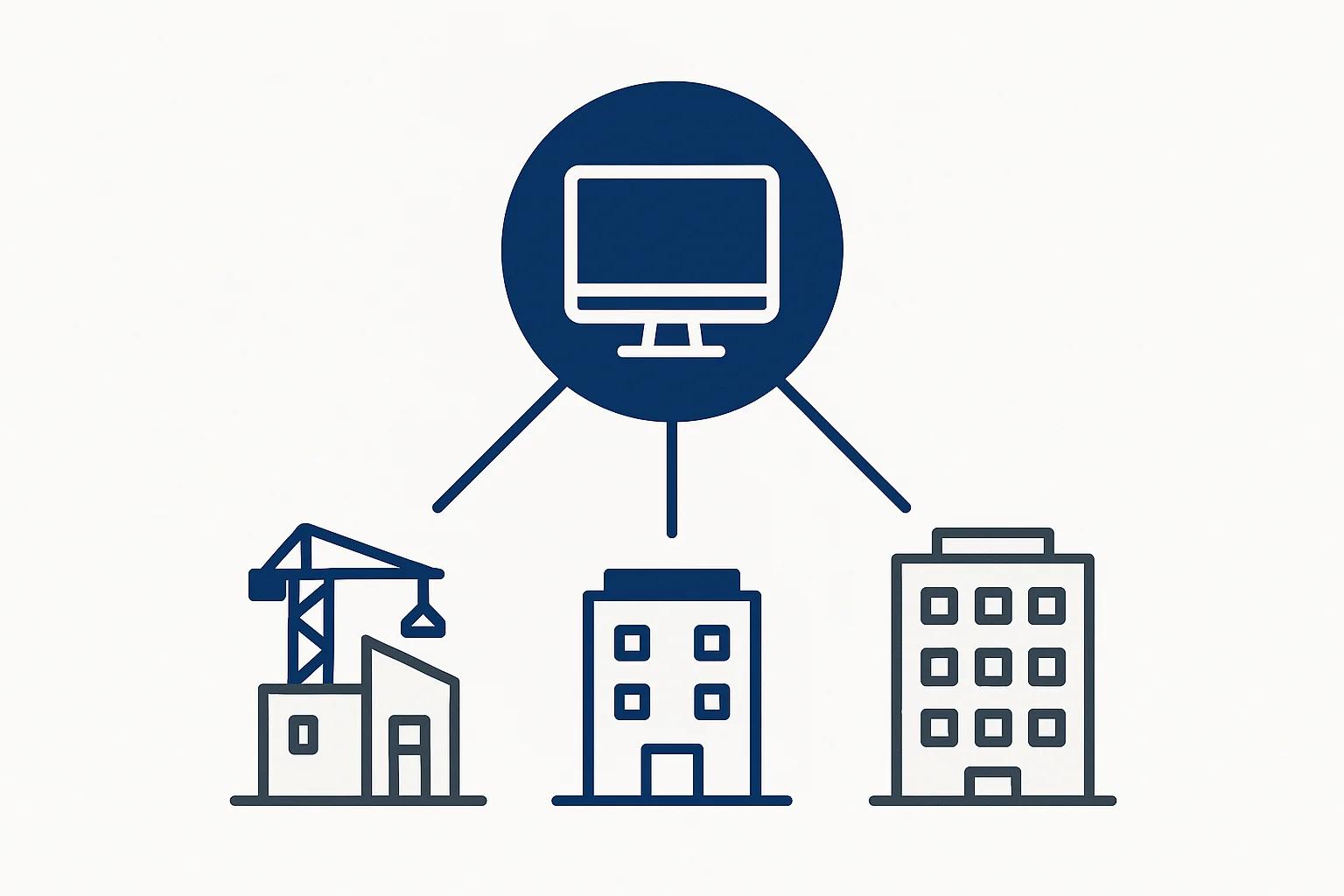
Most contractors hit a ceiling at 2-3 simultaneous sites. The administrative burden becomes overwhelming. But with the right systems like a multi-site contractor app, managing 10 sites can be as easy as managing 2. Here's how.
The Multi-Site Challenge
Why Scaling is Hard
Common problems when adding sites:
- Can't be physically present at all sites
- Communication breaks down
- Quality becomes inconsistent
- Paperwork multiplies
- Payment tracking gets messy
- Worker allocation becomes complex
- Client updates take forever
- Can't remember what's happening where
The Breaking Point
Most contractors struggle at 2-3 sites because traditional methods don't scale:
Paper registers: Need to visit each site to check Manual reporting: Time multiplies with each site Phone communication: Miss updates, forget conversations Memory-based management: Simply can't track everything
The solution isn't working harder — it's working smarter with the right systems like a construction management app designed for multi-site operations.
The Multi-Site Management Framework
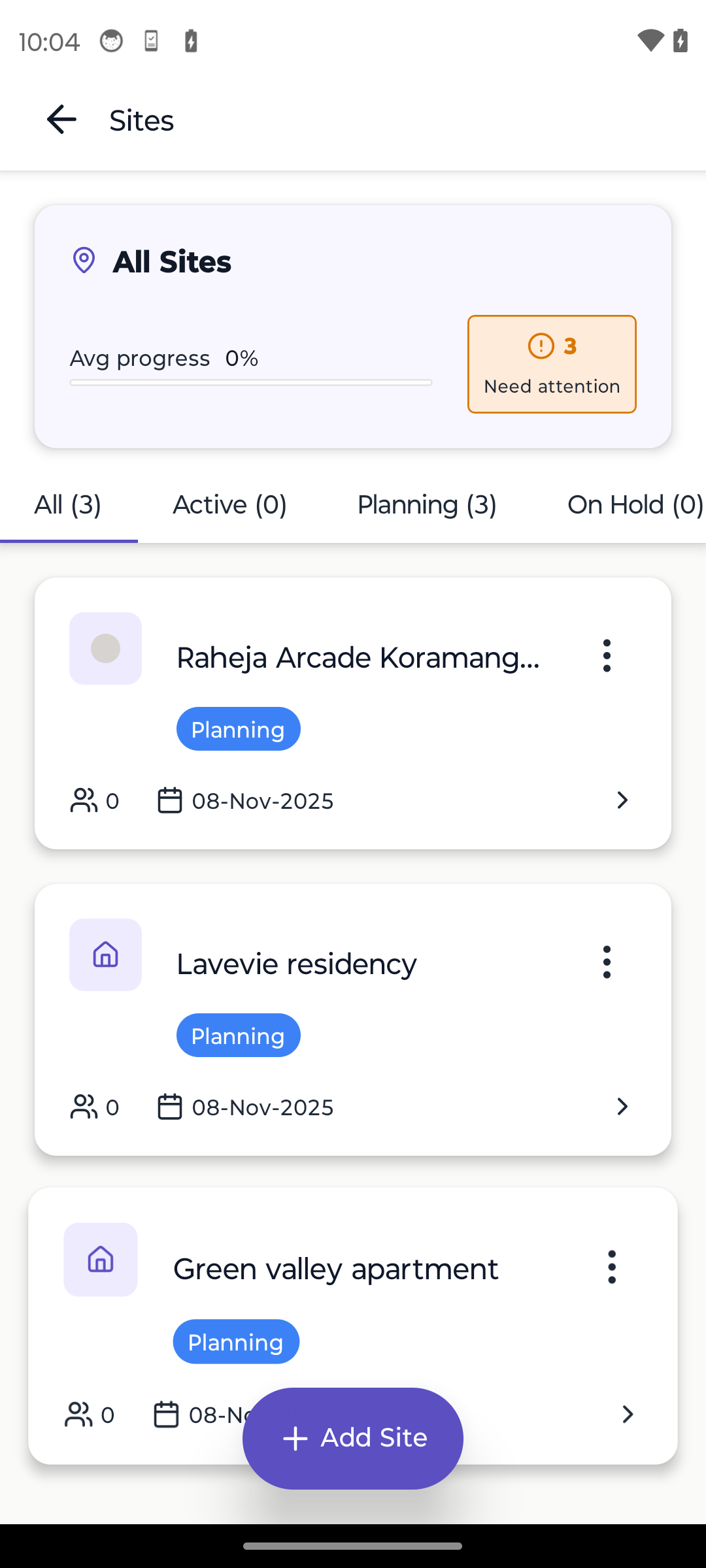
1. Centralized Dashboard
See all sites in one place. No need to visit each site to know what's happening.
What your dashboard should show:
- Active sites list
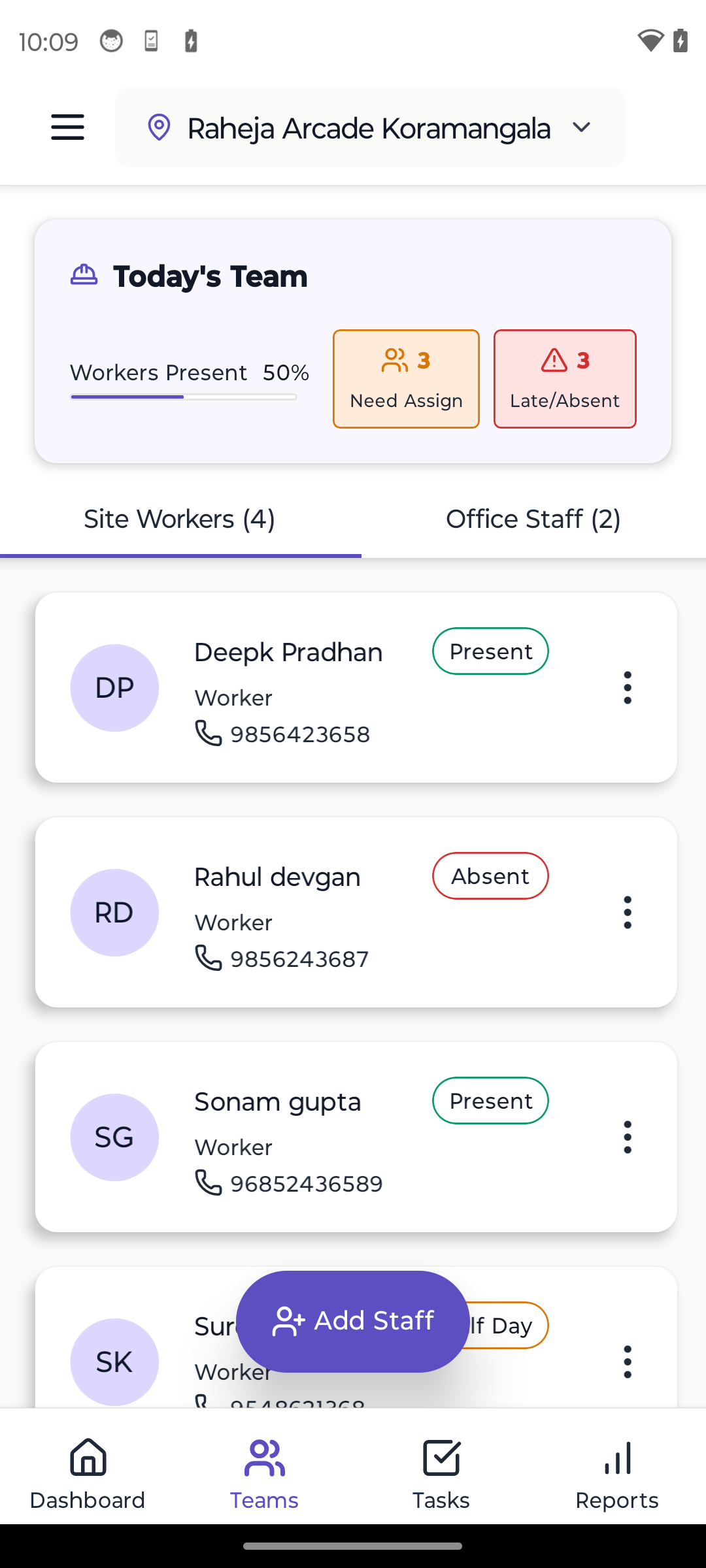
- Today's attendance across all sites
- Task completion status by site
- Issues/alerts needing attention
- Progress summaries
- Recent updates from each site
Time saved: Instead of calling 10 supervisors daily, one glance shows everything.
2. Standardized Processes
Same processes across all sites. No confusion, no inconsistency.
What to standardize:
- Morning briefing format
- Attendance marking time and method
- Task update frequency
- DPR generation format
- Photo documentation standards
- Issue escalation process
- Material request process
- Payment approval workflow
Benefit: New team members know exactly what to do on any site.
3. Clear Site Hierarchy
Define roles and responsibilities clearly.
Typical hierarchy:
- You (Owner/PM): Overall oversight, client relationships, major decisions
- Site Engineer: One per site, day-to-day management
- Supervisors: 1-2 per site, direct worker management
- Skilled Workers: Team leads, quality control
- Workers: Execute tasks
Key: Each level knows their authority and when to escalate.
4. Daily Rhythm
Establish a predictable daily routine across all sites.
Morning (6:00 AM - 8:00 AM):
- Supervisors mark attendance
- Morning briefing at each site
- Task assignment for the day
- Material verification
Mid-Day (12:00 PM - 1:00 PM):
- Progress check
- Issue identification
- Updates to dashboard
Evening (5:00 PM - 6:00 PM):
- Day-end attendance
- Task completion status
- Photo upload
- DPR generation
- Tomorrow's plan
Your involvement: 15-30 minutes morning and evening reviewing dashboard. Visit sites as needed, not daily.
5. Communication System
Clear communication channels prevent chaos.
Communication structure:
- Dashboard: Primary source of truth
- WhatsApp groups: One group per site for quick updates
- Daily calls: 5-minute check-in with each site engineer
- Weekly meetings: In-person or video with all site engineers
- Emergency protocol: Direct calls for urgent issues
Rule: Everything important goes in the system, not just WhatsApp.
Site by Site: Scaling Strategy
Site 1: Build Your System
Your first site is where you perfect your processes.
Focus areas:
- Document what works
- Create templates
- Train core team
- Test digital tools
- Establish standards
- Build playbook
Don't rush to site 2 until site 1 runs smoothly without daily involvement.
Site 2: Test Scalability
Second site tests if your systems work elsewhere.
What you'll learn:
- Do processes transfer?
- Can supervisors work independently?
- Does dashboard provide needed visibility?
- What needs clarification in documentation?
Common issues: Communication gaps, different site needs, supervisor skill differences.
Site 3-5: Refinement
These sites reveal systematic issues.
Watch for:
- Resource allocation conflicts (same workers needed at two sites)
- Supply chain coordination
- Quality consistency
- Payment tracking complexity
- Your time management
This is where digital tools become essential. Manual tracking beyond 3 sites is extremely difficult.
Site 6-10: Systematic Growth
With good systems, adding sites becomes formulaic.
Prerequisites for each new site:
- Trained site engineer available
- Core team identified
- Site setup checklist completed
- Client onboarding done
- Added to management system
Time to add site 10: With good systems, 2-3 hours setup vs 2-3 days without.
Technology: The Force Multiplier
Why Digital Tools are Essential
Without digital tools (5 sites):
- 5 attendance registers to check
- 5 DPRs to create manually
- 5 sites to visit daily
- 5+ hours on admin work daily
- Limited visibility
- High error rates
With digital tools (5 sites):
- One dashboard shows all
- Auto-generated DPRs
- Visit sites as needed
- 1 hour admin work daily
- Complete visibility
- Near-zero errors
The ROI is massive.
Essential Digital Features for Multi-Site
1. Multi-site dashboard: See all sites at once
2. Site switching: Quickly toggle between sites
3. Consolidated reports: Compare performance across sites
4. Resource visibility: Know where each worker is
5. Cross-site analytics: Identify best practices and issues
6. Centralized data: All information in one system
7. Offline sync: Each site works independently, syncs when online
Learn how to choose the right site management app.
Resource Management Across Sites
Worker Allocation
Challenges:
- Same skilled worker needed at two sites
- Unskilled labor available but need to allocate
- Workers completing at one site, moving to another
Solutions:
- Worker database: Track skills, availability, current allocation
- Advance planning: Know where workers are needed next week
- Flexibility: Build 10-15% extra capacity
- Cross-training: Workers can handle multiple tasks
Material Coordination
Challenges:
- Bulk ordering discounts
- Multiple delivery addresses
- Material sharing between sites
- Tracking consumption
Solutions:
- Centralized ordering: One person coordinates all materials
- Delivery schedule: Organized delivery slots
- Inter-site transfers: System to move materials
- Consumption tracking: Monitor usage rates
Equipment Sharing
Challenges:
- Expensive equipment (mixer, vibrator, scaffolding)
- Multiple sites need same equipment
- Transportation logistics
Solutions:
- Equipment calendar: Schedule usage
- Transportation plan: Move equipment efficiently
- Maintenance schedule: Keep equipment functional
- Usage tracking: Know where each item is
Quality Control Across Sites
The Quality Challenge
More sites = harder to maintain consistent quality.
Common quality issues:
- Different standards at different sites
- Rework costs multiply
- Client complaints increase
- Reputation suffers
Quality Assurance System
1. Clear standards: Photo examples of acceptable work
2. Regular inspection: Site engineer daily, you weekly
3. Checklists: Standard quality checklists for each activity
4. Photo documentation: Before, during, after photos
5. Rework protocol: Clear process for fixing quality issues
6. Training: Regular skill development for workers
7. Recognition: Reward high-quality work
Quality Metrics
Track these across sites:
- Rework percentage (target: less than 5%)
- Client complaints (target: 0-1 per project)
- Inspection pass rate (target: greater than 95%)
- Photo documentation compliance (target: 100%)
Compare sites to identify best practices and issues.
Financial Management
The Money Problem
Multiple sites mean:
- Multiple payment streams
- Difficult to track profitability
- Cash flow complexity
- Easy to lose track of expenses
Financial Tracking System
Site-level tracking:
- Labor costs (daily)
- Material costs (per delivery)
- Equipment costs (rental/usage)
- Overhead allocation
- Payment received
Consolidated view:
- Total cash flow
- Site-wise profitability
- Payment pending from clients
- Payment due to suppliers
- Overall financial health
Review cycle: Weekly site-wise review, monthly consolidated
Payment Management
For workers:
- Site-wise payroll
- Cross-site workers tracked correctly
- Attendance-linked payment
- Advance tracking
For suppliers:
- Centralized payment schedule
- Track deliveries across sites
- Bulk payment discounts
From clients:
- Milestone-based billing
- Regular DPR sharing
- Timely invoicing
- Payment follow-up system
Client Management
Communication Overload
10 sites = 10 clients = 100+ updates per week?
The problem: You can't constantly update 10 clients individually.
Automated Client Updates
System-generated updates:
- Daily DPR via email/WhatsApp
- Weekly progress summary
- Photo galleries
- Milestone completion notifications
Personal touch:
- Weekly call with each client
- Monthly site visit together
- Milestone meetings
- Quarterly review
Balance: Automated frequent updates + personal touch on important matters.
Client Portal
Some apps offer client portals where clients can:
- See real-time progress
- View attendance
- Check photos
- Download reports
- Message you
Benefit: Clients feel informed without you doing extra work.
Common Multi-Site Mistakes
Mistake 1: Scaling Too Fast
Adding sites faster than systems can support.
Solution: Perfect systems at current scale before adding sites.
Mistake 2: Different Processes at Each Site
Each site doing things differently creates chaos.
Solution: Standardize processes, enforce consistency.
Mistake 3: Weak Site Engineers
Hiring unqualified people as site engineers to save money.
Solution: Invest in good site engineers. They're worth it.
Mistake 4: No Visibility System
Relying on phone calls and memory.
Solution: Implement digital dashboard system immediately.
Mistake 5: Micromanaging Everything
Trying to make every small decision.
Solution: Define decision authority, trust your team.
Mistake 6: No Standard Documentation
Everyone creates reports differently.
Solution: Templates for everything.
Success Metrics
Track these to ensure multi-site system is working:
Efficiency metrics:
- Admin time per site (target: less than 30 min/day)
- Time to generate all DPRs (target: less than 15 min total)
- Emergency site visits (target: less than 1 per month)
Quality metrics:
- Quality issues per site (target: less than 2 per month)
- Client satisfaction (target: greater than 4.5/5)
- Rework percentage (target: less than 5%)
Financial metrics:
- Profitability by site (target: consistent)
- Payment collection speed (target: less than 15 days)
- Cost overruns (target: less than 5%)
Team metrics:
- Site engineer retention (target: greater than 1 year)
- Worker availability (target: greater than 90%)
- Communication response time (target: less than 2 hours)
Real-World Example
Contractor: Suresh Patil, Pune
Before (2 sites):
- 6 hours daily on-site
- 4 hours on admin/reports
- Exhausted, can't scale
- ₹50K monthly overhead
After implementing systems (6 sites):
- 2 hours daily site visits
- 1 hour admin (using app)
- Can take on more work
- ₹65K overhead (only 30% increase for 3x sites)
ROI: 3x capacity with 1.3x overhead = 2.3x efficiency
Conclusion
Managing multiple sites isn't about working 16-hour days. It's about building systems that scale.
Key principles:
- Standardize everything
- Use digital tools for visibility
- Hire good site engineers
- Define clear processes
- Review metrics regularly
- Don't scale faster than systems support
- Maintain quality across all sites
The ceiling isn't your capability — it's your systems. With right systems, managing 10 sites is easier than managing 2 without systems.
Next Steps
- Document your current process for site #1
- Implement construction site management app
- Create standardized templates
- Train your site engineers
- Test system on site #2
- Gradually scale up
Learn More
Ready to Transform Your Construction Business?
Start managing your sites efficiently with Yojo today.
Try Yojo FreeConstruction Management Expert
Senior Construction Consultant at Yojo
10+ years of experience
Reviewed on 18 January 2025
About Yojo Team
Construction management expert with 10+ years of experience helping Indian contractors build better businesses. Specialized in digital transformation for construction sites.
Related Pages
Pune Material Rates Today
Current market rates for construction materials in Pune, Maharashtra
Rates are indicative and may vary by supplier and location
View Pune page →